Your Discord server.
Under your control.
Flanker is a Discord antinuke and anti-raid bot with moderation, music and community tools. It restricts dangerous access, reacts to attacks and helps staff manage the server from one dashboard.
Antinuke protection.
Start with access.
See how role order and permission guards limit what an untrusted account can do. Choose an example and follow the attempt through to its result.
Flanker attributes the action, cuts off the actor, reverses unauthorized bans and permission grants, then records the result.
- Mira (Moderator): Timed out @spammer for 10m. Result: Allowed.
- Rex (Moderator): Tried to ban @kai. Result: Refused: @kai is protected.
- Ghost (Admin): Banned 12 members in 8s. Result: Cut off · bans reversed.
Flanker Protection sits above the moderator's highest role, so Discord refuses bans on protected members. Mass actions past your limits cut the actor off.
How the other safeguards work
- Ban and kick access loses its reach
- Flanker Protection gives every human a role near the top. Staff below it cannot ban, kick, prune or timeout protected members through Discord.
- Administrator grants are reviewed
- An unapproved role that gains Administrator is saved and removed. Restoring it follows the server’s trusted approval rules.
- Untrusted bots lose dangerous access
- Dangerous permissions are removed from a new untrusted bot before the owner is asked to allow or reject them.
- Staff moderate through Flanker
- Flanker Admin can run moderation and manage the server through Flanker, but it does not hold Administrator or Manage Server and cannot add bots or take the vanity.
- Risky permissions can stay locked
- Channel Shield and Webhook Lock remove direct access from roles. Channel removal becomes a seven-day soft delete, and unknown webhooks are deleted on sight.
- Weakening protection can take two people
- A backup owner can be required to approve changes that loosen advanced antinuke, so one compromised owner account is not enough.
Anti-raid protection.
With a record.
Raid mode locks the server the moment a join wave or chat flood crosses your limit. When it ends, flanker posts a report in your antiraid log: what came in, how fast it was shut down and who was stopped.
- Raid traffic
- 8 messages in 1s
- Locked down
- 2.4s after the limit
- Accounts stopped
- 4
- Raid mode on for
- 37s
From a real raid on Oct 12, 2026.
Set up Discord raid protection →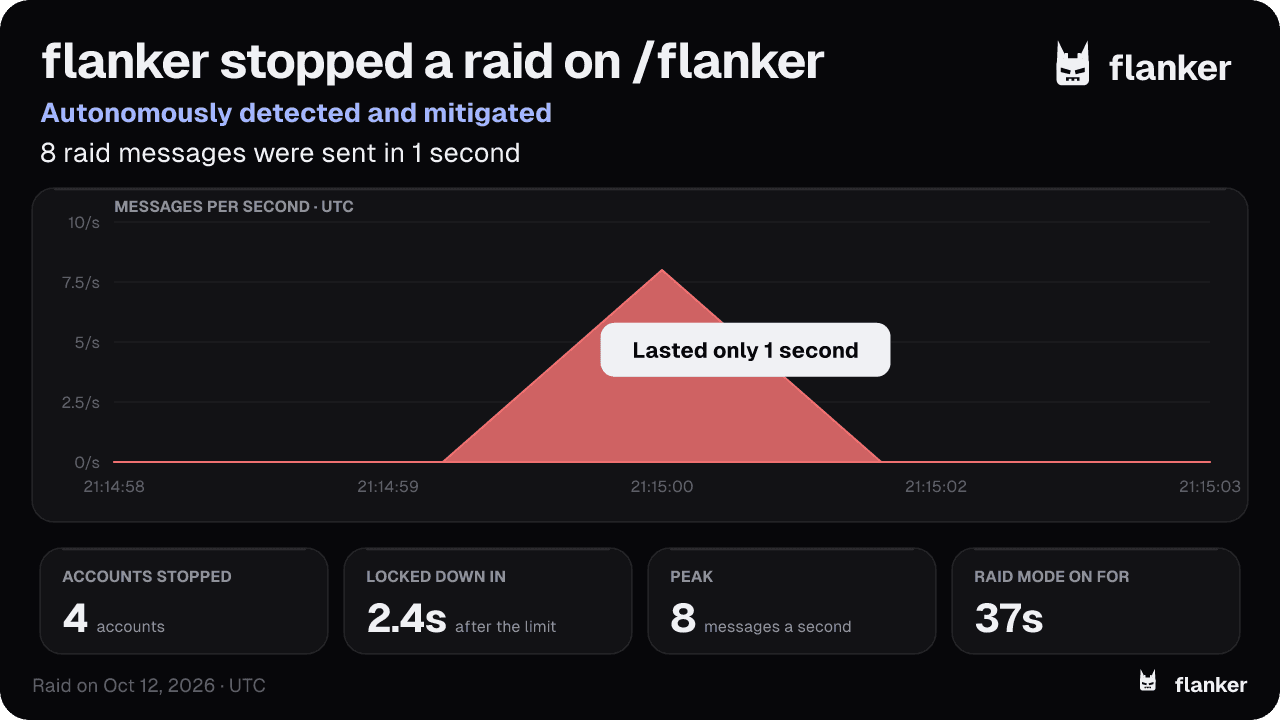
Queue it in Discord.
Control it here.
Pick a song or playlist in Discord. Pause, skip, shuffle and adjust the volume from your dashboard, with DJ controls for who can change playback.
- Player controls
- Pause, skip and volume
- Queue tools
- Repeat, shuffle and reorder
- 24/7 mode
- Autoplay in empty channels

- 1with you foreverYouTube
Play loads YouTube in your browser.
Your profile.
Your Flanker.
Add Flanker to your Discord profile for games, family, Last.fm, skin previews and everyday tools. Use slash commands in DMs, group chats and servers that allow external apps.
You do not need to own a server or add the bot to one.
Add to your profileChoose Add to My Apps in Discord. Server protection is available through the server install.
/games snake
Snake · @you · score 0


The same board and direction controls as the Discord game. Try reaching the apple.
Website preview. Install Flanker to run these commands in Discord.
Security first.
Then everything else.
328 public commands. A few of the ones you'll use most:
Browse the command directory →Security
- /antinuke
- Role hierarchy, permission locks and approval gates stop common nuke paths before action limits become the fallback.
- /antiraid
- Join floods and mention raids lock the server. New accounts solve a captcha to get in.
- /filter
- Invites, links, slurs and spam, including the disguised kind.
- /honeypot
- A trap channel that catches compromised accounts before they spread.
- /backup
- Snapshots of your roles and channels, ready to restore.
- /antinuke panic
- For a nuke in progress: every limit drops to 1, dangerous permissions pause and every change is undone. A nuke report follows.
Moderation
- /jail
- Ban, kick, timeout, jail or warn. Every action becomes a case you can look up.
- /access
- Pick who runs which command, without handing out real Discord permissions.
- /log
- Joins, edits, deletes and role changes, sent to the channels you choose.
- /activity snipe
- Bring back the message someone deleted a second too late.
Community
- /ticket
- Support panels with transcripts, plus staff applications with review buttons.
- /welcome
- Welcome and goodbye messages in embeds or Components V2.
- /levels
- XP, role rewards and leaderboards, with stats as image cards.
- /giveaways
- Giveaways with required roles and bonus entries.
Voice and music
- /voicemaster
- Join to create your own voice channel, then lock, hide or hand it over.
- /play
- YouTube, SoundCloud and Spotify links, with a queue and audio filters.
Not everything
is a raid.
The commands people run when nothing is on fire. Every card here was drawn by flanker, and the ship one runs live. Pick a command.
Access without
giving access away.
Moderators can do their job through Flanker without receiving broad Discord permissions. Security controls keep a separate, stricter boundary.
- Staff access without Discord power
- Give moderators only the commands they need. Fake permissions do not change what their Discord role can do.
- Automatic roles stay harmless
- Auto roles, reaction roles, button roles and rewards reject dangerous permissions when configured and check again before every grant.
- The dashboard follows the same rules
- Every dashboard change runs through the bot as that member. Opening a browser does not bypass command permissions.
- Security settings stay protected
- Fake permissions and Flanker Admin never unlock antinuke or antiraid settings.
Rather click
than type?
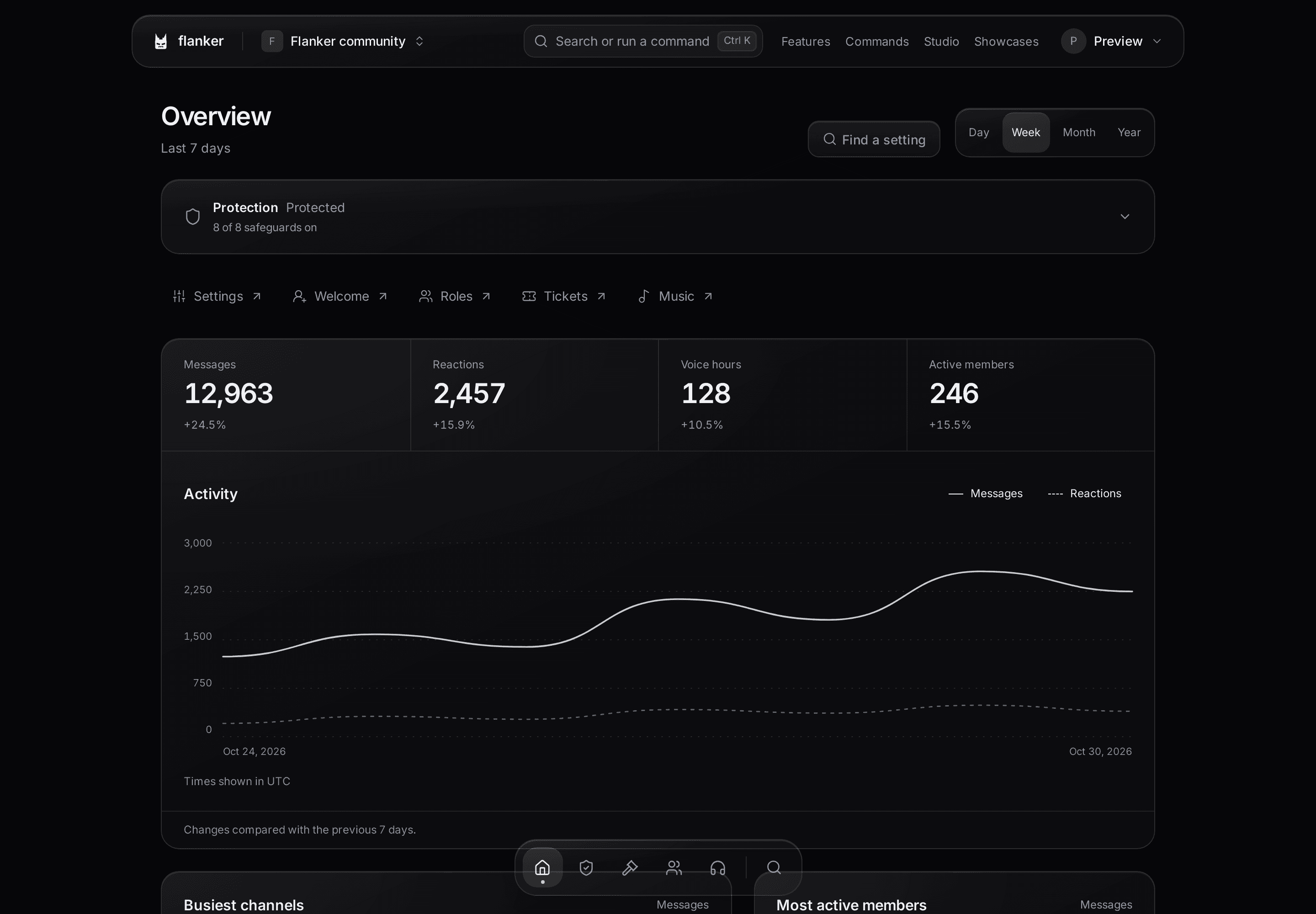
Configure security, moderation, tickets, music and community settings from your browser. The dashboard shows protection status and server activity, with the same permission checks as the bot. It works on your phone too.
Open the dashboard →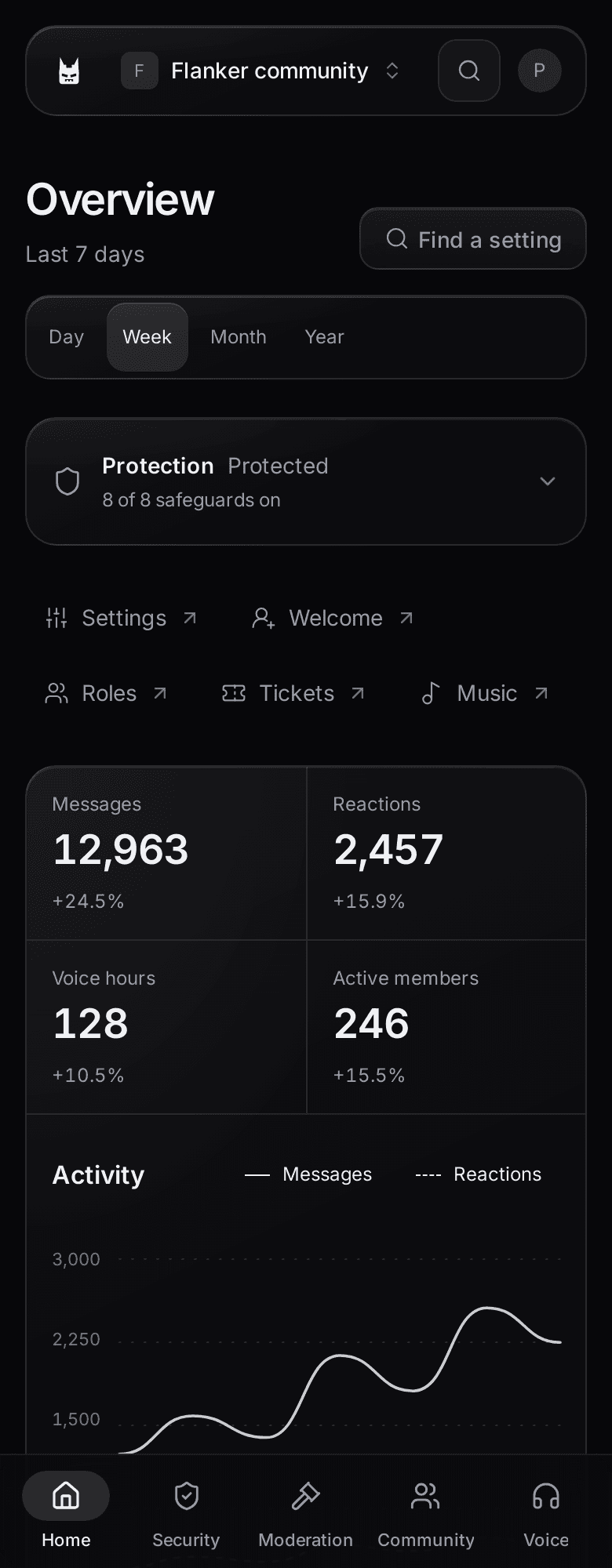
Know what you're adding.
Setup steps, permissions and limits for the tools your server needs.
Looking for a Bleed bot alternative? Compare Flanker →Antinuke
Flanker's Discord antinuke bot restricts dangerous permissions, reacts to destructive actions and supports recovery. See setup, role order and protection limits.
Anti-raid
Protect your Discord server with Flanker's anti-raid bot: join-flood and spam detection, captcha verification, lockdown and raid reports. See how to set it up.
Moderation
Manage Discord bans, timeouts, jail, warnings, moderation cases and command access through flanker and its web dashboard.
Music
Play music in Discord with flanker's queue controls, audio presets, DJ permissions, autoplay and optional 24/7 voice-channel mode.
VoiceMaster
Let Discord members create temporary voice rooms with flanker's VoiceMaster, including room ownership, limits, locks and waiting controls.
Tickets
Create Discord support tickets with flanker: multiple panel options, intake forms, staff claiming, close controls and signed-in transcript access.
Good questions.
What is flanker?
flanker is a Discord bot for antinuke and antiraid protection, moderation, music, tickets, temporary voice rooms and community tools. Its web dashboard lets authorized members configure their servers.
How do I add flanker to Discord?
Use Add to Discord, choose a server you can manage and authorize the bot. Place flanker's role above the roles it needs to manage, then run /antinuke setup as the server owner or open the dashboard to configure your server.
Which permissions does flanker need?
flanker names the specific permissions missing for an action. Grant the permissions required by the features you enable, and place its role above the roles it needs to manage.
Can a role panel hand out an admin role?
No. Automatic and self-assign systems refuse Administrator, Manage Server, Manage Roles, ban, kick and other dangerous permissions, even when the server owner configures them.
Who can change settings from the dashboard?
The same people who can run the matching command. Security pages use stricter checks and do not accept fake permissions.
Where is production data kept?
Production runs in the United States and stores its working data in MongoDB. The privacy policy explains each category and how to request deletion.
Where can I get help?
Join discord.gg/yRyTAHmvxJ or email [email protected].


